Triggers, Gags and Aliases
Automate your MUD: react to server text, clean up spam, and type less.
MUDBasher has three kinds of automation rules. Each world has its own set. Open a world's detail screen and look under Automation, or use the automation menu while connected.
- Triggers watch incoming text. When a line matches, a trigger can send commands back to the MUD, play a sound, vibrate, highlight the line, or echo its own text into the terminal.
- Gags also watch incoming text, but their job is to hide a matching line, or replace it with text of your own.
- Aliases watch what you type. A short alias expands into one or more longer commands before they are sent.
All three share one substitution system, so you learn it once and use it everywhere. If you
have used TinTin++ or MUSHclient, the %1, %2 style will feel
familiar.
Match Types
Triggers and gags decide whether a line matches using one of these match types:
| Match type | Triggers | Gags | The rule matches when |
|---|---|---|---|
| Simple | Yes | Yes | the line contains the pattern text anywhere |
| Wildcard | Yes | Yes | the whole line fits a pattern with %1 to %99 wildcard
slots, like %1 tells you %2 |
| Regex | Yes | Yes | the line matches a regular expression; parenthesized groups become captures |
| Exact | Yes | Yes | the whole line is exactly the pattern |
| Begins with | Yes | No | the line starts with the pattern |
| Ends with | Yes | No | the line ends with the pattern |
Case matters for some types. Simple matching is case-insensitive: a pattern
of bubba matches "Bubba arrives." Wildcard and regex matching are
case-sensitive: bubba tells you %1 will not match a line that starts with
"Bubba". If a wildcard pattern mysteriously never fires, check its capitalization first.
Captures: the %N System
Wherever a rule produces text, whether that is a trigger's Action or Echo text, a gag's
Replace with, or an alias's commands, you can insert captured text with %N
variables:
%1through%99insert the first through ninety-ninth capture. What a "capture" is depends on the rule: wildcard slots, regex groups, or the words typed after an alias name.%0inserts the whole matched line (triggers and gags) or everything typed after the alias name (aliases).%%inserts a literal percent sign. A%not followed by a digit also stays a literal percent.
The fine print, for when you need it:
- Only the plain digits 0 to 9 count. The reader takes up to two digits, so
%05means capture 5 (the leading zero is consumed) and%100means capture 10 followed by a literal 0. - A
%Nthat refers to a capture that does not exist, or did not take part in the match, inserts nothing.
Wildcard Patterns
The wildcard match type is the easiest way to capture text without writing a regular
expression. In the pattern, each %N slot captures a run of text, and the pattern
must account for the whole line. The last slot captures through to the end of the line.
Example: a wildcard trigger that answers tells
Pattern: %1 tells you '%2'
Incoming line: "Bubba tells you 'heal me please'"
Captures: %1 is "Bubba" and %2 is "heal me please"
Action: reply %1 on my way: %2
Sent to the MUD: "reply Bubba on my way: heal me please"
Rules for the pattern side:
- Slots are
%1through%99. The numbers do not have to appear in order.%2 whispers to %1is fine, and each number keeps its meaning on the output side. %0is not allowed in a pattern, since it always means "the whole line" on the output side, and the same number cannot appear twice. The form will tell you when you save.%%in a pattern matches a literal percent sign.- Wildcard patterns are case-sensitive.
Triggers
Sending commands: the Action field
A trigger's Action holds the commands to send when a line matches, separated by a semicolon,
or whatever command delimiter you have set in Advanced Settings. Captures work in every
command: a regex trigger's parenthesized groups and a wildcard trigger's slots both come
through as %1, %2, and so on.
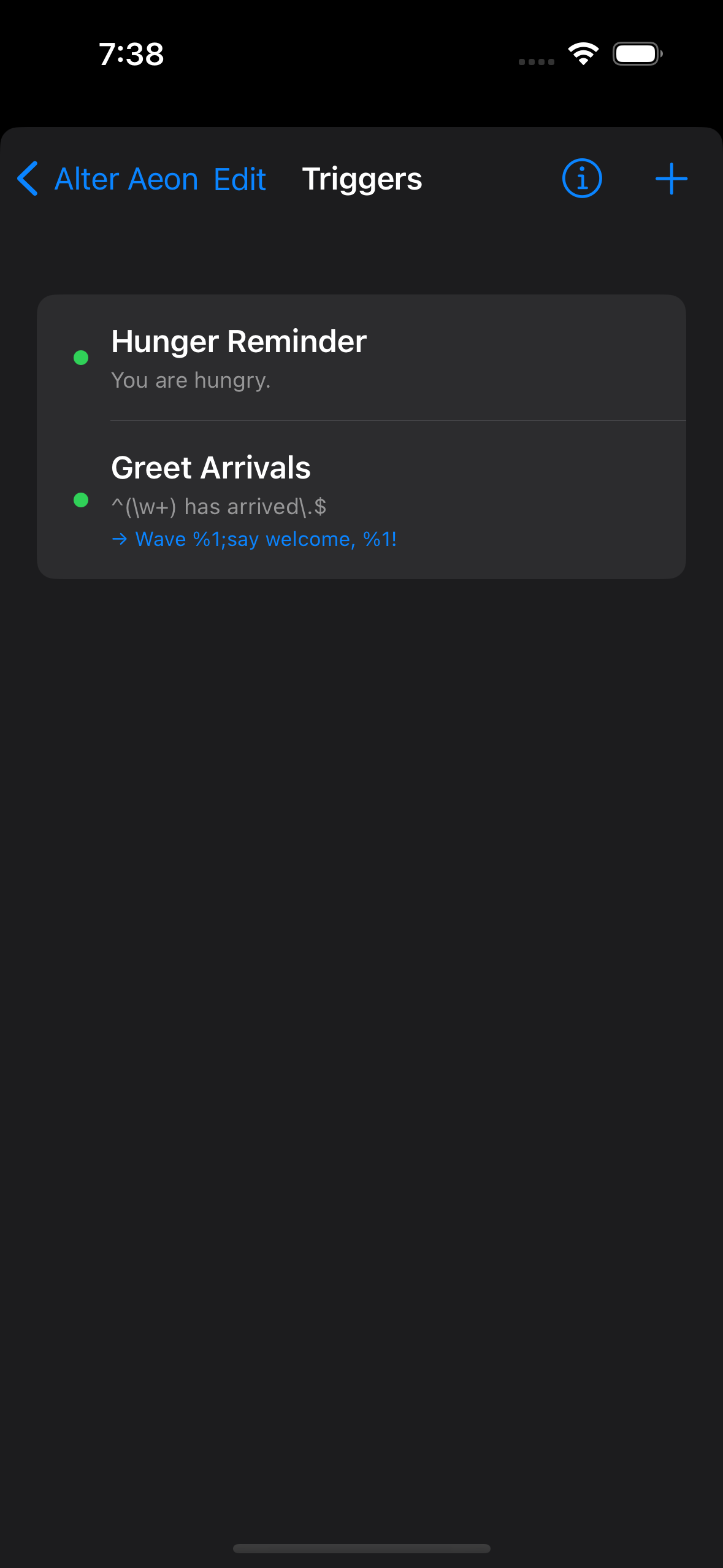
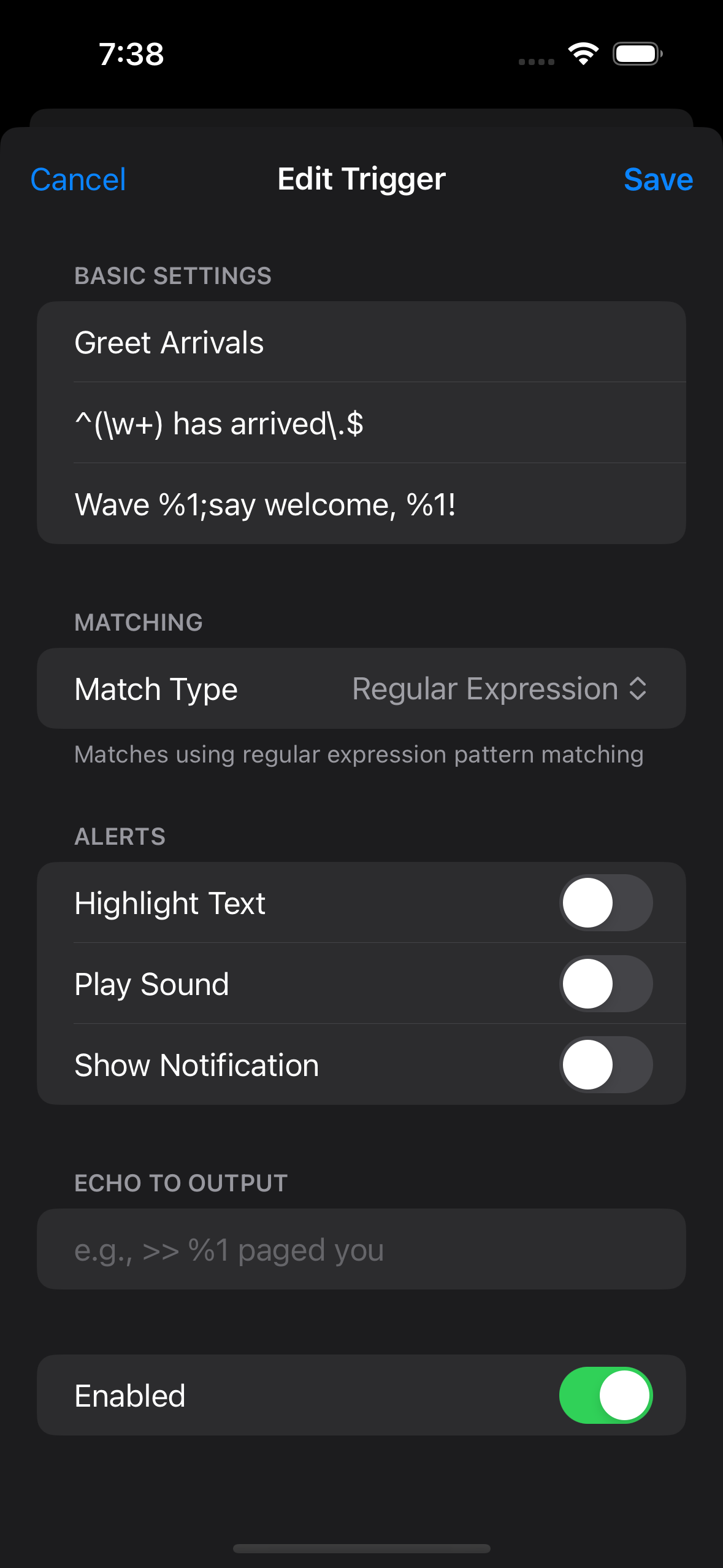
Example: a regex trigger that greets arrivals
Match type: regex. Pattern: ^(\w+) has arrived\.$
Action: wave %1;say welcome, %1!
When "Ranger has arrived." comes in, MUDBasher sends "wave Ranger" and then "say welcome, Ranger!"
Captured text is always sent literally. The Action is split into commands first, and captures are inserted afterwards. So if the server puts a semicolon inside captured text, it stays an ordinary semicolon inside one command. It can never run extra commands, and it is never expanded through your aliases. Text from the MUD cannot puppet your character.
Echo text
A trigger's Echo text is printed into your own terminal, right below the matched line. Nothing is sent to the MUD. Captures work here too, and you can give the echo its own text colour. Echoed lines are ordinary output: VoiceOver and speech read them just like server text, which makes echoes a handy way to rewrite noisy lines into something worth hearing.
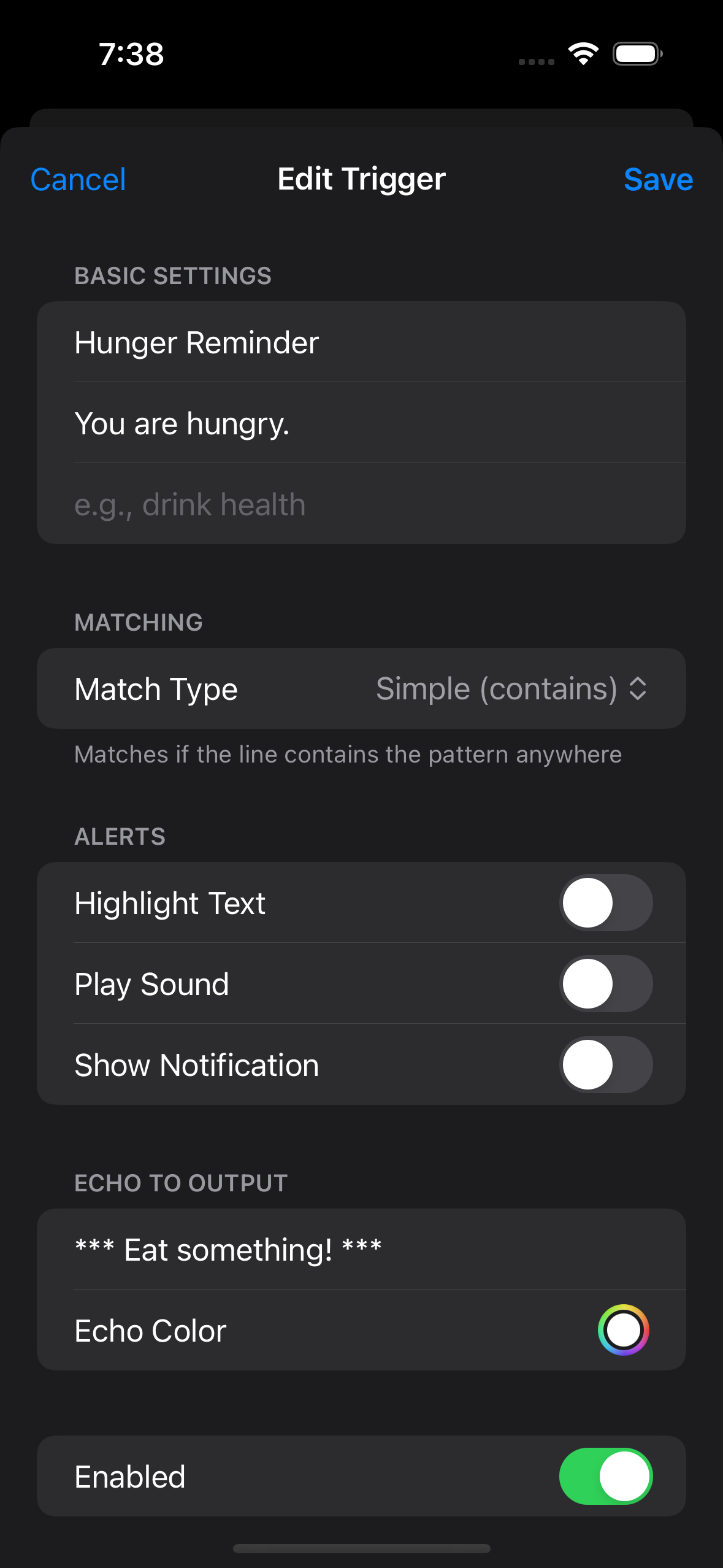
Example: flag a quiet but important line
Match type: simple. Pattern: You are hungry.
Echo text: *** Eat something! ***, with a red echo colour.
The server line stays visible, and your reminder appears on the next line.
Other effects
A trigger can also highlight the matched line, play a sound, and vibrate. When several triggers match the same line: every trigger's commands are sent in order, the first matching trigger with a sound plays it, a vibration fires if any matching trigger asks for one, and the last matching trigger's highlight colour wins.
Gags: Hide or Replace
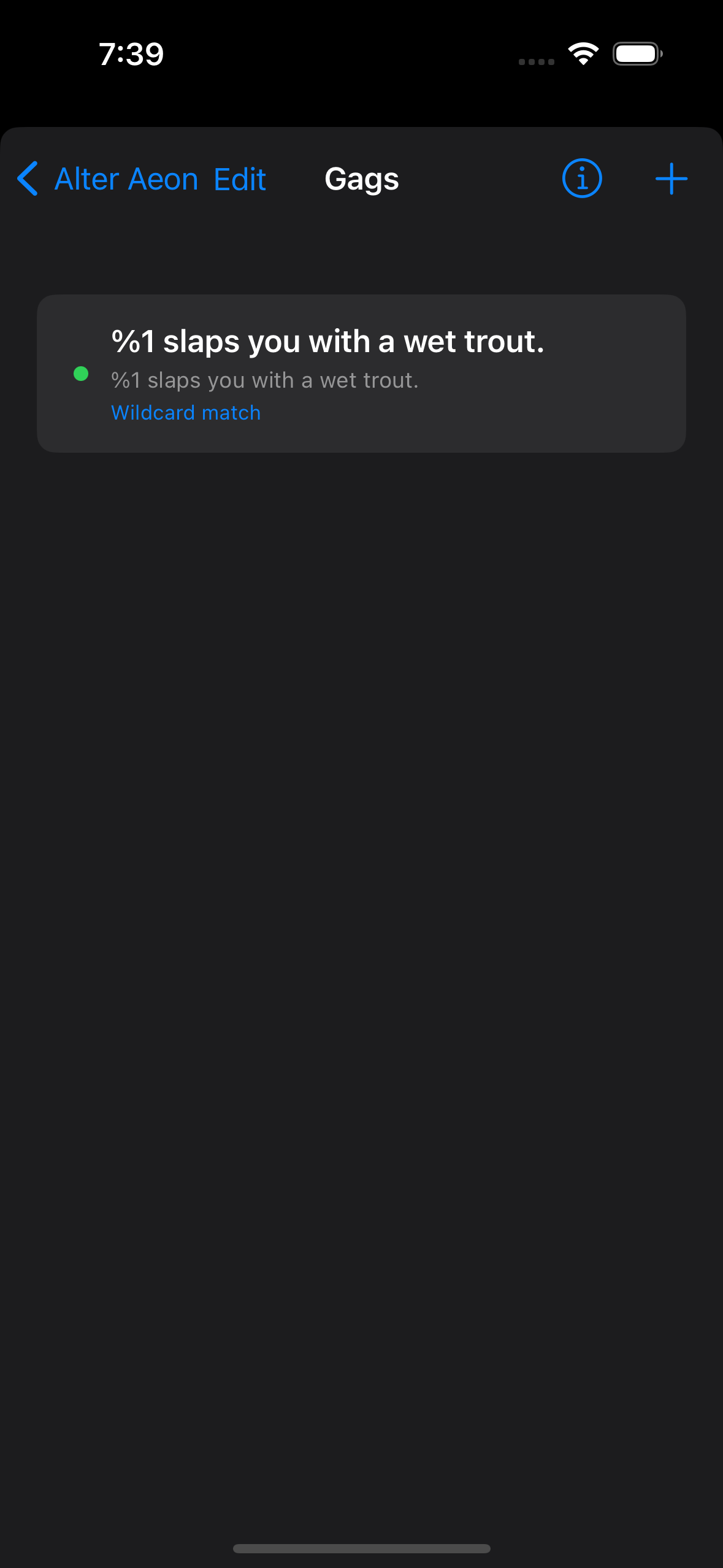
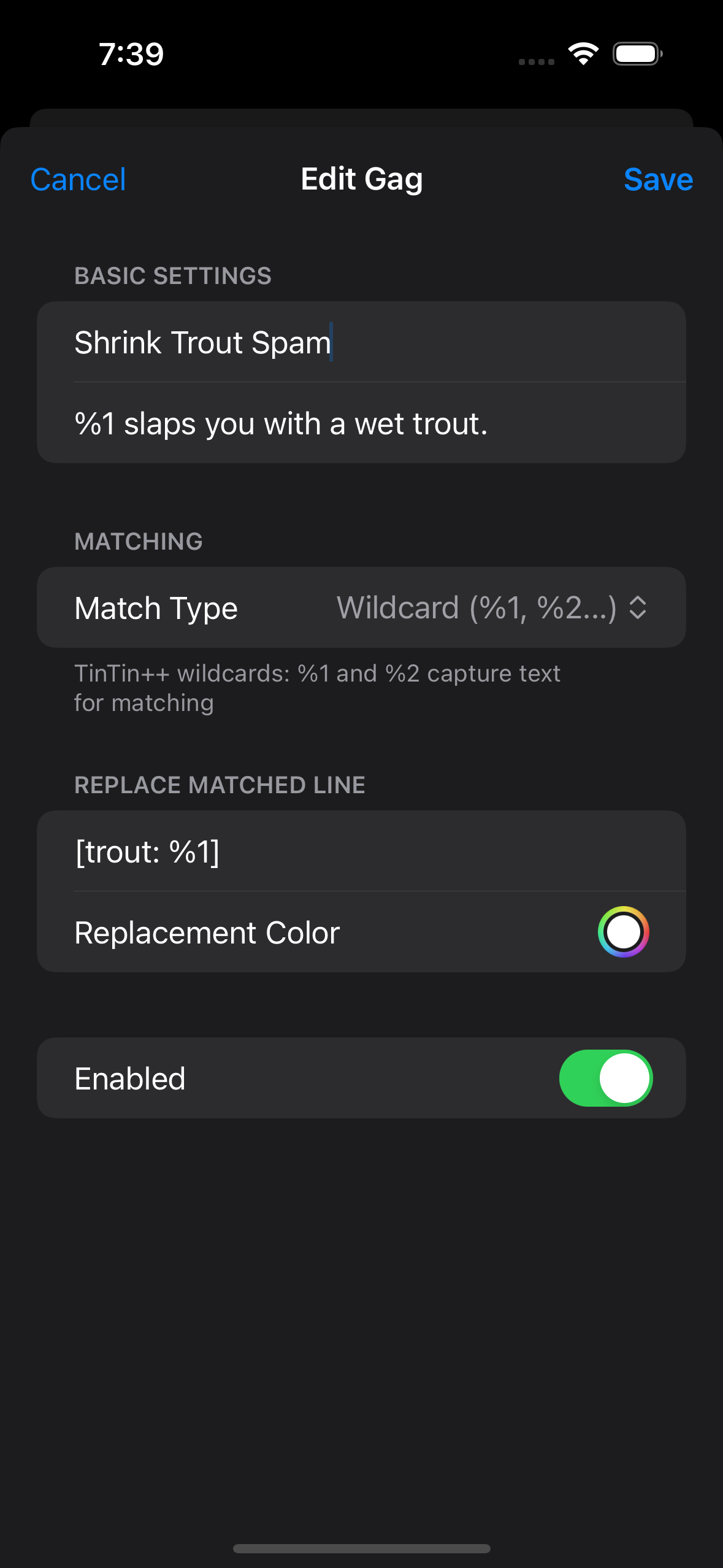
A gag with an empty Replace with field simply hides every matching line, which is classic spam control. Put text in Replace with and the line is swapped for your text instead: captures work, and you can set a replacement colour. The replacement is one line of plain output, so a semicolon in it is just a semicolon.
Example: shrink combat spam
Match type: wildcard. Pattern: %1 slaps you with a wet trout.
Replace with: [trout: %1]
"Bubba slaps you with a wet trout." becomes "[trout: Bubba]", one short line instead of a paragraph of slapstick.
Aliases
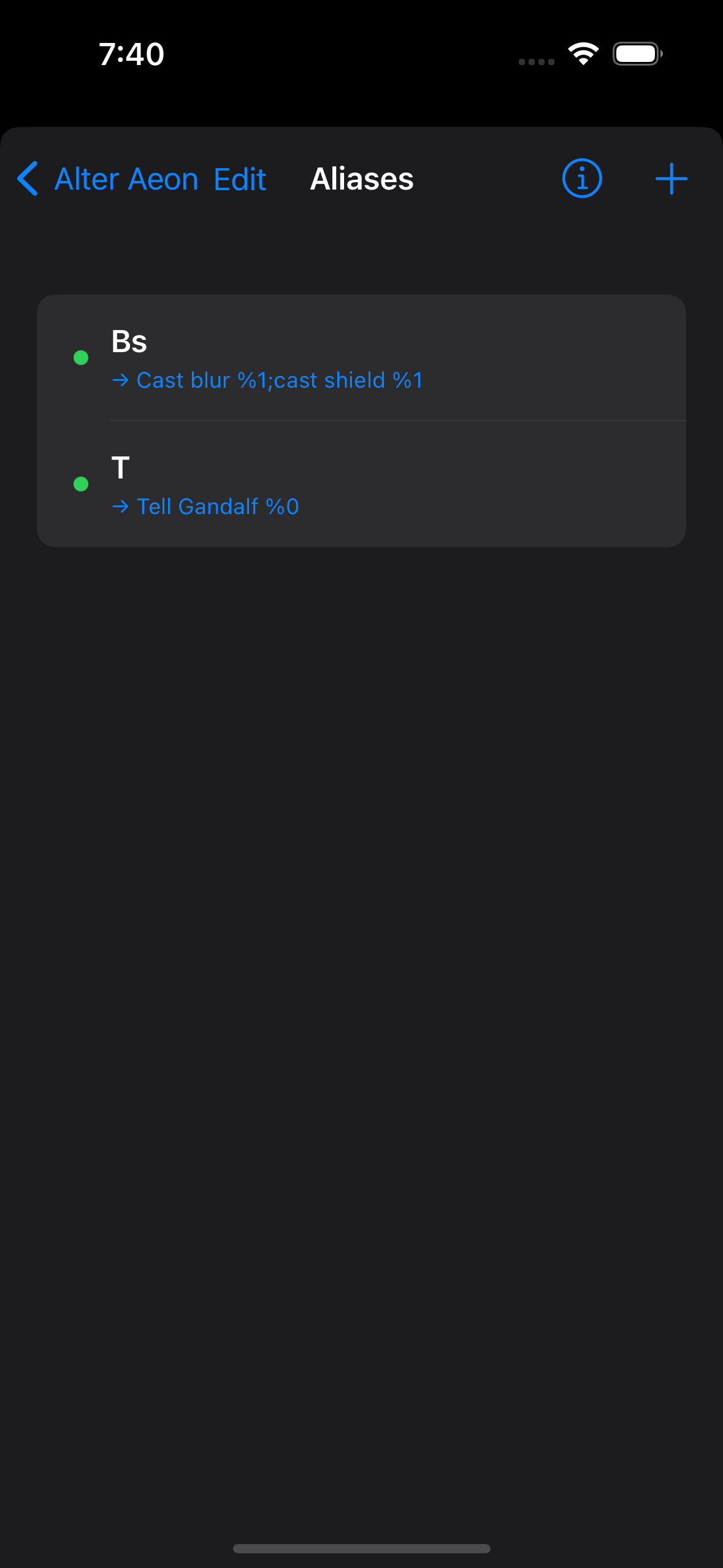
An alias is a shorthand you type. The words after the alias name become its captures:
%1 is the first word, %2 the second, and %0 is
everything after the name. Like a trigger Action, an alias can hold several commands
separated by your command delimiter.
Example: three aliases
Alias t is tell gandalf %0. Typing "t meet me at the gate" sends
"tell gandalf meet me at the gate".
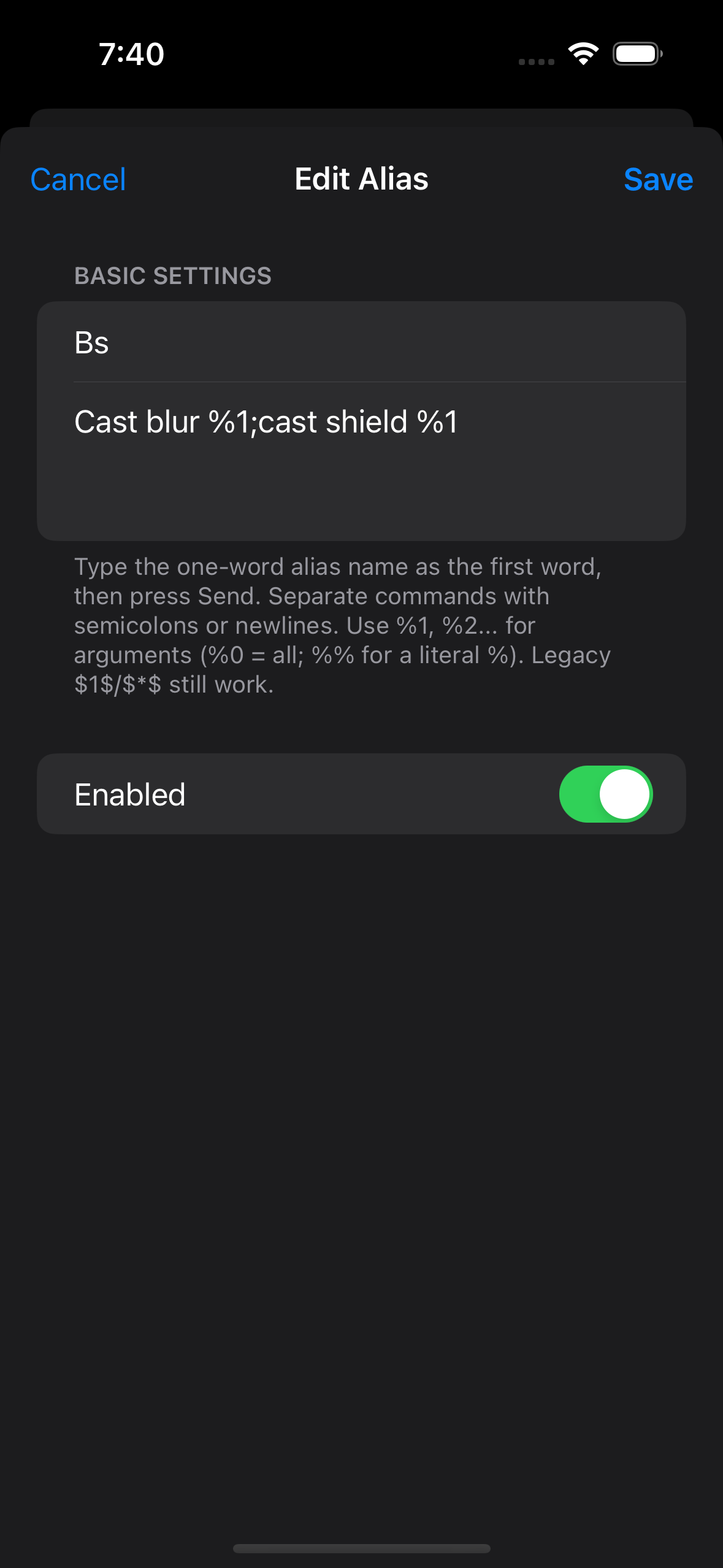
Alias bs is cast blur %1;cast shield %1. Typing "bs bubba" sends
both casts at Bubba.
Alias k is kill. Typing "k orc" sends "kill orc". When an alias's
commands contain no %N at all, whatever you typed after the name is appended
automatically.
bs example above.Create Rules from the Terminal
Spotted a line you want to automate? Touch and hold it in the terminal and choose Add Trigger or Add Gag. The form opens with that line already filled in as a simple pattern, ready to edit before you save. With VoiceOver, focus the line and pick Add Trigger or Add Gag from the actions rotor.
Older Syntax Still Works
Rules written before the %N system keep working, and nothing needs to be
rewritten. %N is simply the one syntax we recommend, and document, going
forward.
- Triggers with the simple, exact, begins-with, or ends-with match types still honour
$1,$2and so on as word slots, where$Ninserts the Nth word of the matched line. Regex and wildcard triggers use%Ncaptures instead;$Nword slots do not apply to them. - Aliases still honour
$1$,$2$and$*$, and the append-all behaviour described above applies when the commands contain no marker of either style.
%%.
MUDBasher, trigger and automation guide.